
What Actually Happens When You Roll Out AI Headshots to Your Team
This article is part of our Team & Company Headshots collection.
We talk to a lot of companies that use BetterPic for team headshots. Most of them go through the same arc: excitement about the idea, some internal pushback, a few surprises during the process, and then "why didn't we do this sooner?" at the end.
This post is a realistic walkthrough of what that process actually looks like — based on patterns we've seen across hundreds of teams. Not a sales pitch. Just what to expect if you're thinking about doing this.
Why do companies switch to AI headshots in the first place?
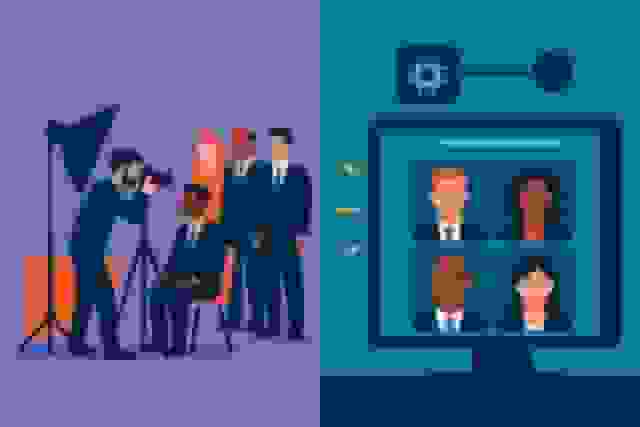
It usually starts with someone looking at the team page and realizing it's a mess. One person has a studio headshot from 2021. Someone else has an iPhone selfie. A few new hires have no photo at all. And the CEO's headshot was taken when they still had hair.
The obvious fix — booking a photographer for the whole team — sounds simple until you think about the logistics. Getting 25-30 people in front of a camera means:
- Coordinating schedules across multiple calendars for weeks
- Renting space or clearing an office area for multiple days
- People being away from their work for 30-45 minutes each
- Remote employees either being excluded or flying in
- And a bill somewhere between $8,000 and $12,000
Most companies get a few quotes, have a mild panic attack about the cost and coordination, and then discover AI headshot generators exist.
Typical Cost Comparison (25-30 Person Team)
- Traditional photography: $8,500–$12,000 + lost productivity hours
- AI headshots (BetterPic): ~$1,000–1,400 for the whole team
- Time per person: Traditional: 30-45 min + scheduling. AI: 10-minute upload on their own time
- Scheduling complexity: Traditional: weeks of coordination. AI: everyone does it whenever they want
What does the rollout actually look like?

Here's the typical timeline we see:
Week 1: The announcement (and the mixed reactions)
Someone announces the AI headshot initiative at an all-hands meeting or via Slack. The reactions are predictable:
- The enthusiasts (usually younger employees): "Oh cool, I'll do mine right now."
- The skeptics (usually more senior): "AI photos? Those look fake."
- The indifferent: "Sure, whatever, just tell me what to do."
The skeptics are the ones you need to plan for. The best approach? Have the person leading the initiative go first. Get their AI headshots done, share the before/after, and let the quality speak for itself. Once people see that the output actually looks like a real photo — and a good one — most of the resistance evaporates.
What works: Lead by example. The founder, CEO, or team lead does it first and shares the results. Skeptics trust what they can see, not what you tell them.
Week 2: The uploads start rolling in
Once the early adopters share their results and people see the quality, adoption picks up fast. The process for each person is:
- Take a few photos on their phone (5 minutes)
- Upload to the platform (5 minutes)
- Get headshots back (usually under an hour)
- Pick their favorite
Designate one person — office manager, HR coordinator, whoever — as the point person for questions. There's always someone who needs help with the upload or isn't sure what kind of source photos to take.
The source photo guide matters a lot. Send everyone a simple message: "Face a window for good lighting, take a few photos from different angles, wear something you'd wear to work, keep the background simple." That's enough to get good results from most people.
Week 3: Stragglers and finishing up
There are always a few people who "haven't gotten to it yet." A friendly reminder at the two-week mark usually does it. If someone is genuinely uncomfortable with AI-generated photos, let them submit a traditional photo that meets the brand guidelines instead. In practice, very few people take this option — but having it available reduces pushback.
By week three, most teams have everyone done. That's a full team of matching, professional headshots in about three weeks — compared to months of scheduling with a photographer.
What actually goes wrong?
Let's be honest about the parts that don't go perfectly. Every team we've worked with hits at least one of these:
Bad source photos
This is the number one issue. Someone uploads a dark selfie taken under fluorescent office lights, or a photo where they're wearing sunglasses, or a heavily filtered Instagram shot. The AI can only work with what it gets — bad input means mediocre output.
The fix: That source photo guide we mentioned isn't optional. Send it before anyone starts uploading. The teams that skip this step have significantly more retakes.
The perfectionist who's never satisfied
There's always at least one person who generates their headshots, says "it's not quite right," generates again, says "hmm, still not perfect," and would keep going forever if you let them. They're comparing AI output to an idealized version of themselves that doesn't exist in any photograph.
The fix: Set expectations upfront. "Pick the best one from your batch and we're moving forward." Perfect is the enemy of done, and at some point you need to ship the team page.
The generational comfort gap
Older employees tend to be more critical of small imperfections, while younger team members are more accepting. This can create some awkward dynamics where one person is completely happy and the person next to them is pointing out that "the collar doesn't look quite right."
The fix: Acknowledge that AI isn't perfect and offer human touch-ups for anyone who wants refinement. BetterPic's team plans include unlimited human edits, which resolves most of these concerns.
Inconsistency from letting people choose their own style
If everyone picks their own background and lighting preference, the headshots will look individually great but collectively mismatched. This is the most common brand consistency mistake.
The fix: One admin picks the style settings for everyone. Background, lighting, and formality level should be consistent across the whole team. Individual choice is the enemy of brand consistency.
What does the ROI actually look like?
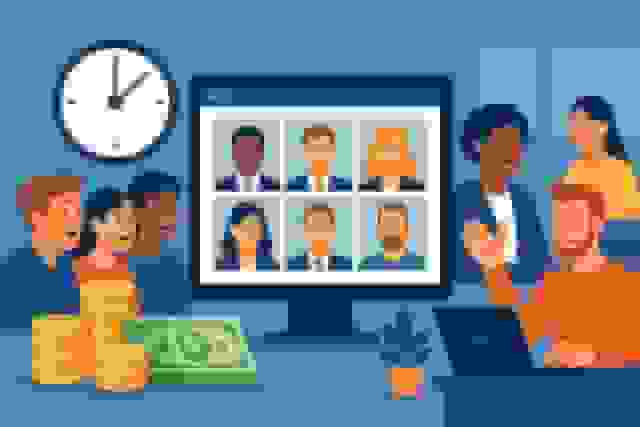
Here's what we typically see from teams that switch:
Direct cost savings: For a 25-30 person team, you're saving roughly $7,000-10,000 compared to traditional photography. That's the easy, obvious number.
Time savings: No scheduling coordination, no half-days blocked for photo sessions, no waiting weeks for edited photos. Each person spends about 10-15 minutes total. For a 30-person team, that's under 8 hours of total employee time vs. potentially 20+ hours with traditional photography (including scheduling, travel, waiting, and the session itself).
The harder-to-measure stuff: Companies consistently tell us that their updated team page gets more engagement — longer time on page, more clicks to individual bios. Some report that prospects mention the professional appearance during sales calls. It's hard to put an exact dollar figure on "looking more professional," but it's real.
Ongoing value: This is what people miss. The initial headshot rollout is just the start. Every new hire gets a matching headshot during their first week. No more waiting for the next photo day. No more new people sticking out with a different style on the team page. The consistency sustains itself.
What would we tell a company thinking about doing this?
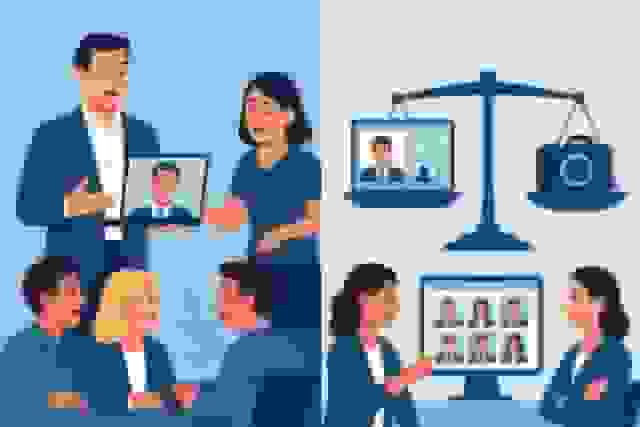
AI headshots make the most sense when:
- Your team page currently looks like a patchwork of different photo styles and quality levels
- You have remote or distributed team members who can't easily get to a photographer
- Budget matters — you'd rather spend $1,400 than $10,000
- You hire frequently and need a way to get new people matching headshots quickly
- You want consistency across 10, 50, or 500+ people without the logistical nightmare
A traditional photographer might be better when:
- You have a small team (under 8 people) and budget isn't a concern
- Your brand specifically needs artistic, editorial-style photography
- You want the team-bonding aspect of a group photo day
- Your industry is very traditional and expectations around "authenticity" are high
If you move forward, here's the playbook:
- Go first yourself. Get your own headshots done and share them. Credibility comes from example, not announcements.
- Send a source photo guide. Three sentences: good lighting, clear face, work-appropriate clothing. Don't skip this.
- Designate one coordinator. Someone to help with questions and track who's done and who hasn't.
- Lock the style settings. One admin picks background, lighting, and style. Nobody freelances their own look.
- Give it 2-3 weeks. Announce it, let early adopters go first, send one reminder, then wrap it up.
- Build it into onboarding. Every new hire gets their headshot in week one. This is how you maintain consistency long-term.

What Teams Are Actually Seeing With AI Headshots
Real results from companies using BetterPic for team headshots:
BetterHealth Group — A healthcare organization with providers across 6 states eliminated inconsistent photographer results by switching to BetterPic. "We needed a solution that was streamlined and easy for everyone. BetterPic made that possible." — Manali Shah, Social Media Manager (Read the case study)
Elucient — CEO John Marcinuk's consulting firm was quoted 10x the cost of BetterPic by a studio photographer. "Other AI tools just weren't good enough. BetterPic was the only one that delivered studio-quality images that felt real." — John Marcinuk, CEO (Read the case study)
WYN Solutions — 100+ remote creatives replaced fragmented photos with consistent professional headshots. Designers voluntarily shared their new headshots, boosting team engagement. "BetterPic changed that instantly. The branding is consistent and the results speak for themselves." — Nick Cybela, CEO (Read the case study)
By the numbers: 32M+ headshots delivered · 1,000+ companies · 99% satisfaction rate · 4.7/5 on Trustpilot
The companies that do this well don't treat it as a one-time project — they build it into how their team operates. Headshots become part of the onboarding checklist, the annual refresh cycle, and the brand guidelines.
The result is a team page that looks like it was shot by one photographer in one session — except nobody had to block their calendar, nobody had to commute to a studio, and the whole thing cost a fraction of what traditional photography would have.
Ready to get your team matching headshots?
Professional, consistent headshots for your whole team — without the scheduling nightmare or the five-figure photography bill.
Sources & References
- AI Image Generation Market Report — Grand View Research
- How AI Is Changing Photography — Forbes
- Professional Headshot Photography Pricing — Thumbtack
- How Much Do Headshots Cost? — Professional Photographers of America
- First Impressions from Faces — Psychological Science

Written by
Apoorv SharmaHead of Performance
Apoorv leads performance and growth at BetterPic with 9+ years of experience across SEO, SEM, and growth marketing. He oversees content strategy, data-driven marketing, and hands-on testing of AI headshot platforms. Previously held senior performance marketing roles across the US, Belgium, and India.
- Google Analytics & Google Ads certified
- HubSpot Inbound & Content Marketing certified
- 9+ years in SaaS growth and performance marketing
Related team and company headshots resources
Keep exploring this topic with focused resources from the B2B journey.
Primary destination:BetterPic Teams for company and employee headshots
Frequently Asked Questions
How much do AI headshots cost for a team of 25-30 people?
- AI headshots for a 25-30 person team cost approximately $1,000-1,400 total with BetterPic. Traditional photography for the same team runs $8,500-12,000 plus lost productivity hours. AI saves roughly $7,000-10,000 while requiring just 10 minutes per person.
How long does it take to roll out AI headshots to a whole team?
- Most teams complete the full rollout in about 3 weeks. Week 1 is the announcement and early adopters. Week 2 sees most uploads as results spread. Week 3 handles stragglers with friendly reminders. Each person spends about 10-15 minutes total on the process.
What goes wrong with team AI headshot rollouts?
- The most common issues are bad source photos from poor lighting, perfectionist employees who are never satisfied, a generational comfort gap with AI technology, and inconsistency from letting people choose their own styles. A source photo guide and admin-controlled style settings prevent most problems.
How do you handle employees who are skeptical about AI headshots?
- Have the CEO or team lead go first and share before/after results. Once skeptics see the quality firsthand, most resistance evaporates. Offer the option to submit a traditional photo meeting brand guidelines as a fallback. In practice, fewer than 5% take this option.
How do new hires get matching headshots after the initial rollout?
- Build it into onboarding as a 10-minute task during week one. The new hire uploads photos, and AI generates a matching headshot using the same style settings the admin locked in. No waiting for the next photo day, and the team page stays consistent.
Save 87%on average on your professional photos.
Whenever, wherever you are.
Get studio-quality, 4K images in a variety of outfits & settings in less than an hour.
Get your headshots nowStart now
