
How to Take a Professional Headshot: The Complete Guide (DIY, Pro, and AI)
This article is part of our Professional Headshots collection.
Why Does Your Headshot Actually Matter?
A solid headshot is the single fastest way to build trust online before anyone reads a word you've written. It's the tiny square that shows up on LinkedIn, your company's About page, Slack, Zoom -- everywhere. And people form an opinion in about a tenth of a second.
I've shot thousands of headshots over the years, and the pattern is always the same: the person with the polished photo gets the callback, the connection request, the "you look like someone I'd want to work with." The person with the cropped vacation selfie? Not so much.
Whether you're job hunting, building a consulting practice, or just tired of that blurry photo from 2018, this guide walks you through everything -- gear, lighting, backgrounds, what to wear, how to pose, camera settings, and your three main options: doing it yourself, hiring a photographer, or using AI.
Let's get into it.
What's the Difference Between a Professional Headshot and a Selfie?
The difference comes down to three things: lighting, framing, and intention. A selfie is whatever your front camera catches at arm's length. A professional headshot is deliberately lit, properly framed, and designed to make you look competent and approachable.
Here's what separates the two:
- Lighting: Professional headshots use controlled lighting (natural or artificial) to eliminate harsh shadows and evenly illuminate your face. Selfies rely on whatever ambient light is around.
- Framing: A headshot is cropped from mid-chest up, with your eyes roughly one-third from the top of the frame. Selfies are usually too close, from a weird angle, or include your bathroom mirror.
- Background: Clean, uncluttered backgrounds that don't compete with your face. No beach umbrellas, no messy kitchens.
- Expression: A natural, relaxed look -- not the "I'm trying to look casual but I'm actually holding my phone at a strange angle" face.
A strong first impression on platforms like LinkedIn can open doors you didn't even know existed. Your headshot is doing that work 24/7.
Do You Actually Need a Professional Photographer?
Not necessarily. You have three real options, and each one has tradeoffs. I'll break down DIY, hiring a pro, and using AI headshot tools later in this guide. But first, let's cover the fundamentals that apply no matter which route you pick.
What Equipment Do You Need for a Professional Headshot?
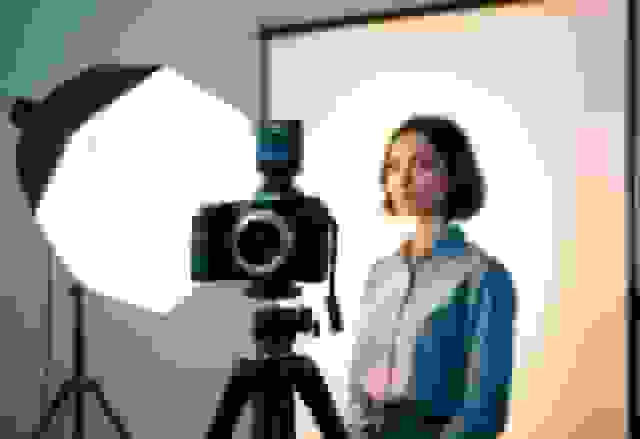
You don't need a $3,000 camera to get a great headshot -- but a few basic tools make a massive difference. Here's what actually matters when you're creating a professional headshot.
What's the Best Camera for Headshots?
For the absolute best results, a DSLR or mirrorless camera with a portrait lens (something in the 50mm to 85mm range) is hard to beat. These cameras give you full control over depth of field, exposure, and focus.
But here's the honest truth: a modern smartphone can get you 80% of the way there. The rear camera on any recent iPhone or Samsung flagship shoots at high enough resolution. Use Portrait Mode to get that nice background blur.
What matters more than the camera:
- Use the rear camera, not the front-facing one. The rear camera has a much better sensor.
- Shoot at the highest resolution your device supports.
- Clean the lens. Seriously. A smudgy lens is the number one killer of otherwise-decent phone headshots.
If you're shopping for a dedicated camera and budget is tight, a used Canon EOS Rebel or Sony Alpha a6000 series will do the job beautifully.
Why Is a Tripod Non-Negotiable?
A stable tripod eliminates camera shake, which is the enemy of sharp photos. Even tiny hand movements create subtle blur that makes a headshot look amateur.
A few tripod tips:
- Set the camera at eye level. Shooting from below makes people look imposing; from above, it shrinks them. Eye level is the sweet spot.
- You don't need anything fancy. A $25 tripod with a phone adapter works fine for DIY headshots.
- If you're using a phone, get a tripod with a phone mount rather than trying to prop your phone against a stack of books (we've all been there).
How Do You Take a Headshot Without Help?
Use a remote shutter or your camera's self-timer. This lets you get into position, check your posture, relax your face, and then trigger the shot without rushing.
Most smartphones have a built-in timer (usually 3 or 10 seconds). Set it to 10 seconds so you have time to:
- Tap the shutter button
- Walk to your mark
- Check your posture
- Settle your expression
- Take a breath before the shutter fires
Bluetooth remotes cost about $10 and are worth every penny. They let you take dozens of shots in different poses without walking back and forth.
Practice different poses before you start shooting for real. Try slight head tilts, a genuine smile versus a neutral expression, angling your shoulders. The more shots you take, the better your odds of landing one you actually like.
How Should You Set Up for the Shoot?
What's the Best Background for a Professional Headshot?
Keep it simple. A clean, uncluttered background keeps the focus where it belongs: on your face.
Good background options:
- Solid-colored walls: White, light gray, soft blue, or warm beige all work well
- Natural settings: An outdoor wall, a park with soft greenery blurred behind you
- Textured surfaces: Exposed brick or a wooden wall can add personality without being distracting
Things to avoid:
- Busy patterns, posters, or shelves full of stuff behind you
- Bright or neon colors that pull attention away from your face
- Other people wandering through the frame
Match your background to your outfit. Dark clothes against a light background (or vice versa) creates contrast that makes you pop. If you're wearing a navy blazer, a light gray wall is perfect. More on choosing the right background for your personal brand here.
How Do You Get the Lighting Right?
Lighting makes or breaks your headshot -- and natural light is your best friend when you're doing it yourself.
Here's the simplest setup that works:
- Find a large window with indirect light (no direct sunbeams hitting your face)
- Face the window so the light falls evenly across your face
- Shoot during overcast days or golden hour (the hour after sunrise or before sunset) for the most flattering, warm light
If you need to shoot with artificial light:
- Softbox lights or ring lights diffuse the light and reduce harsh shadows
- Position the light at a 45-degree angle to your face, slightly above eye level
- Use a second light or a white foam board on the opposite side to fill in shadows
What to avoid:
- Overhead lighting (like ceiling fixtures) -- it creates dark shadows under your eyes and nose
- Harsh midday sun -- it makes everyone squint and creates unflattering contrast
- Mixed lighting (half window light, half fluorescent) -- it creates weird color casts
Take a few test shots and check them on your phone or camera screen before committing to a full session. Adjust the angle of the light or your position until the shadows look soft and even.
How Do You Frame and Compose the Shot?
Use the rule of thirds: imagine your frame divided into a 3x3 grid. Place your eyes along the top horizontal line, slightly off-center. This creates a more natural, engaging composition than dead-center framing.
Key framing guidelines:
- Crop from mid-chest up -- this is the standard headshot frame
- Leave some breathing room above your head (don't crop the top of your skull)
- Keep your shoulders in the frame -- they ground the image and show your outfit
- Shoot slightly wider than you think you need -- you can always crop tighter later, but you can't add pixels back
What Camera Settings Should You Use?
If your camera lets you control settings manually, these are the numbers that matter for headshots.
What Are the Best Manual Settings for Headshots?
- Aperture (f-stop): Set between f/2.8 and f/5.6. A wider aperture (lower number) blurs the background more, drawing attention to your face. f/4 is a great all-around choice.
- ISO: Keep it as low as possible -- 100 to 400. Lower ISO means less grain/noise and a cleaner image.
- Shutter speed: At least 1/125 second. Faster if you're shooting handheld or your subject tends to move.
- Focus: Lock focus on the eyes. Always the eyes. If your camera has eye-detect autofocus, turn it on.
What If You're Using a Smartphone?
Most of the heavy lifting is automatic, but you can still optimize:
- Turn on Portrait Mode for background blur
- Tap your face on the screen to lock focus and exposure
- Bump up the exposure slightly (swipe up on iPhone after tapping to focus) -- slightly brighter usually looks more flattering than slightly darker
- Shoot in the highest quality setting your phone offers
- Turn off the flash. Always. Built-in flash creates harsh, flat, unflattering light.
How Do You Get the Exposure Right?
The goal is even, balanced light across your face with no blown-out highlights or dark shadows.
- If you're in manual mode, check the histogram on your camera -- you want the graph to be a smooth hill mostly in the middle, not spiked at either edge
- Slightly overexpose rather than underexpose -- it's easier to darken a bright image than rescue a dark one
- Take a test shot, check it, and adjust before shooting the full session
What Should You Wear for a Professional Headshot?
Wear solid colors that you feel good in. That's the short version. Here's the longer version:
Clothing Do's
- Solid, muted colors: Navy, charcoal, deep green, burgundy, white, and medium blue all photograph well
- Well-fitted clothes: Nothing too baggy or too tight -- your outfit should look intentional
- Layers add dimension: A blazer over a shirt, a cardigan, or a scarf gives the photo visual interest
- Match your industry: Finance and law? Suit jacket. Creative field? Something with more personality. Tech? A clean, solid-colored shirt works great.
- Iron or steam everything the night before -- wrinkles are distracting and hard to edit out
Clothing Don'ts
- Busy patterns: Stripes, plaid, and small repeating patterns can create a visual "buzzing" effect on camera (called moire)
- Logos and graphics: They pull attention away from your face and can look unprofessional
- Neon or very bright colors: They reflect onto your skin and create color casts
- Low necklines: Keep it professional unless your industry specifically calls for something different
How Should You Pose for a Headshot?
The best headshot pose looks natural, and "natural" takes practice. Here's what works based on thousands of sessions:
Body Position
- Angle your body about 30-45 degrees away from the camera, then turn your head back toward the lens. This is more flattering than facing the camera square-on.
- Push your chin slightly forward and down. This defines your jawline and avoids the double-chin effect. It feels weird but looks great.
- Drop your shoulders. Everyone tenses up in front of a camera. Take a breath, let them fall.
Expression
- Think of someone you genuinely like. This produces a more authentic, warm expression than forcing a smile.
- A slight smile with relaxed eyes reads as confident and approachable. You don't need to show teeth unless that's your natural smile.
- Avoid the "dead eyes" problem by thinking about something that actually makes you happy right before the shot.
Transitioning Between Poses
- Make small adjustments between shots: tilt your head slightly, shift your weight, try a different smile
- Keep your eyes engaged with the lens -- it creates connection with whoever is looking at the photo
- Move fluidly rather than resetting your whole body between each shot
Getting comfortable in front of the camera takes time. Check out these tips for a successful headshot session for more on directing yourself (or working with a photographer).
How Do You Edit a Professional Headshot?
Light editing makes a headshot look polished. Heavy editing makes it look fake. The goal is to enhance, not transform.
What Editing Software Should You Use?
- Adobe Lightroom: Best for overall adjustments -- exposure, white balance, contrast, color correction. It's the industry standard for a reason.
- Photoshop: For targeted retouching -- removing a stray hair, reducing a blemish, smoothing under-eye circles
- Free alternatives: Snapseed (mobile), GIMP (desktop), or Canva's photo editor all handle the basics
What Should You Actually Edit?
Keep it simple:
- Color correction: Make sure your skin tone looks natural, not orange or washed out
- Exposure adjustment: Brighten slightly if needed
- Crop and straighten: Fine-tune your composition
- Light retouching: Remove temporary blemishes (a pimple, a scratch). Leave permanent features alone -- they're part of what makes you look like you.
- Sharpening: A subtle sharpen pass makes your eyes pop
- Background cleanup: Remove distracting elements
What Not to Edit
- Don't smooth your skin into plastic. People will notice.
- Don't whiten your eyes or teeth to an unnatural degree.
- Don't change your face shape, nose, or features. The person in the photo should look like the person who shows up to the meeting.
What Format Should You Export In?
- JPEG at high quality for LinkedIn, websites, and email signatures
- PNG if you need a transparent background
- TIFF for print (business cards, conference badges)
- Save at 300 DPI for print, 72 DPI for web
- Always keep the original file so you can re-edit later
DIY vs. Professional Photographer vs. AI Headshots: Which Should You Choose?
This is the big question. Here's an honest comparison:
DIY Headshots (Doing It Yourself)
Best for: Tight budgets, quick needs, people who are comfortable in front of a camera
- Cost: $0-50 (tripod + remote)
- Quality: Decent with good light and a clean background, but limited by your self-directing ability
- Time: 30-60 minutes of setup and shooting, plus editing time
- Main drawback: It's really hard to direct yourself. You can't see what the camera sees in real time, so you end up with 200 photos and maybe 3 that work.
Tips for DIY headshots and using a smartphone can help you get the most out of this approach.
Hiring a Professional Photographer
Best for: High-stakes situations (executive team pages, acting/modeling portfolios, speaker bios)
- Cost: $150-500+ per session
- Quality: High -- they handle lighting, direction, and editing
- Time: 1-2 hours including prep, plus a few days for delivery
- Main drawback: Expensive, requires scheduling, and you're dependent on finding a good photographer in your area
A strong corporate headshot from a skilled photographer is hard to beat for executive-level roles. But it's not always practical.
AI Headshots (The BetterPic Approach)
Best for: Anyone who wants studio-quality results without the hassle, cost, or scheduling of a traditional shoot
- Cost: A fraction of what a photographer charges
- Quality: Studio-grade results with professional lighting, backgrounds, and retouching -- all generated from your casual photos
- Time: Upload a few photos, get polished headshots back in minutes
- Main advantage: No awkward self-directing, no booking a photographer, no commuting to a studio. Just upload and go.
BetterPic uses AI to generate professional headshots that look like they came from a high-end studio session. You upload a handful of everyday photos, and the AI handles lighting, background, outfit adjustments, and retouching. The results genuinely look like you sat for a professional shoot.
It's especially great for:
- Remote teams that need consistent headshots without flying everyone to the same studio
- Job seekers who need a polished headshot fast without spending $300
- Anyone updating their look -- swap backgrounds, outfits, or styles without rebooking a photographer
This is the option I recommend for most people. It gives you the quality of a professional shoot with the convenience and speed of doing it yourself -- minus all the frustration.
How Should You Adapt Your Headshot for Different Uses?
Social Media and LinkedIn
- Crop tight -- shoulders up -- since the display size is small
- Use a simple background so it reads well as a tiny thumbnail
- Your expression should be warm and approachable (you're networking, not interrogating)
- Make sure it looks like you right now, not you five years ago
- Here's how to nail your LinkedIn headshot specifically
Business Cards and Print
- Use a higher-resolution file (300 DPI minimum)
- Stick to more formal attire and a clean, simple background
- Keep the edit consistent with your other branding materials
Industry-Specific Adjustments
- Corporate / Finance / Law: Formal attire, neutral background, confident expression. Executive headshot tips here.
- Creative / Design / Marketing: More room for personality -- colorful backgrounds, casual attire, more expressive poses
- Tech / Startups: Clean and modern. Solid-colored shirt, simple background, friendly but competent vibe
- Healthcare / Education: Approachable and trustworthy. Softer lighting, warm smile, professional but not stiff
Understanding what a headshot is and why you need one can help you think about how yours fits into your overall professional presence.
Frequently Asked Questions
How do you take a professional headshot at home?
Find a clean wall for your background, set up near a large window for natural light, use a tripod and self-timer (or remote), and wear a solid-colored top. Shoot during the golden hour or on an overcast day for the most flattering light. Take at least 50-100 shots in different poses and expressions, then pick the best 2-3 to lightly edit. For an easier path, upload your casual photos to BetterPic and get studio-quality results in minutes.
What is the best camera for headshots?
A DSLR or mirrorless camera with a 50mm or 85mm portrait lens gives the best results. Great budget options include the Canon EOS Rebel series or Sony Alpha a6000. That said, a modern smartphone (iPhone 13 or later, Samsung Galaxy S21 or later) using Portrait Mode and the rear camera can produce surprisingly good headshots -- especially with proper lighting.
What should you wear for a professional headshot?
Stick to solid, muted colors like navy, charcoal, deep green, or white. Avoid busy patterns, logos, and neon colors. Wear something that fits well and matches the formality of your industry. Iron everything. Layers (a blazer, cardigan, or scarf) add visual interest without being distracting.
How much does a professional headshot cost?
A session with a professional photographer typically runs $150-500+, depending on your location and the photographer's experience. You usually get 2-5 retouched images. AI headshot services like BetterPic cost significantly less and deliver multiple polished options from your existing photos.
Can you take a professional headshot with a phone?
Yes, absolutely. Use the rear camera (not front-facing), turn on Portrait Mode, shoot in good natural light, and use a tripod. Clean the lens, shoot at the highest quality setting, and never use the flash. The biggest limitation with a phone is self-directing -- it's hard to pose yourself when you can't see the screen. That's where AI headshot tools have a real advantage.
How is an AI headshot different from a regular photo?
An AI headshot takes your casual, everyday photos and generates a studio-quality professional image with proper lighting, a clean background, and a polished look. The AI handles all the things that normally require a photographer and editing software -- lighting adjustments, background selection, retouching, and composition. With BetterPic, the output looks like you sat for a professional session, without actually needing to book one.
Sources & References
- LinkedIn Profile Photo Tips — LinkedIn
- How Your Profile Photo Impacts Your LinkedIn Presence — LinkedIn Official Blog
- AI Image Generation Market Report — Grand View Research
- How AI Is Changing Photography — Forbes
- Professional Headshot Photography Pricing — Thumbtack

Written by
Apoorv SharmaHead of Performance
Apoorv leads performance and growth at BetterPic with 9+ years of experience across SEO, SEM, and growth marketing. He oversees content strategy, data-driven marketing, and hands-on testing of AI headshot platforms. Previously held senior performance marketing roles across the US, Belgium, and India.
- Google Analytics & Google Ads certified
- HubSpot Inbound & Content Marketing certified
- 9+ years in SaaS growth and performance marketing
Related professional headshots for individuals resources
Keep exploring this topic with focused resources from the B2C journey.
Primary destination:BetterPic homepage
Frequently Asked Questions
What are some tips for taking a professional headshot with my phone?
- Using a smartphone can yield excellent headshots if done correctly. First, ensure good lighting by positioning the subject near a window or outdoors. Natural light enhances the appearance significantly. Next, hold the camera at eye level. This angle is most flattering and conveys confidence. Finally, use the highest resolution setting available for clear images.
What techniques should I use to capture a headshot for LinkedIn?
- When capturing a headshot for LinkedIn, focus on clarity and professionalism. Choose a neutral background that is not distracting. This helps keep the focus on the individual. Make sure the subject dresses appropriately for their industry. Attire should match the professionalism expected in the field. A clear smile can also engage viewers and create a welcoming impression.
Can you suggest ways to take high-quality headshots at home?
- To take high-quality headshots at home, select a clean, uncluttered background. A solid color wall often works best. Use a tripod or stable surface to avoid shaky images. If possible, use a remote shutter or a timer feature to take the photo without needing to press the button manually.
What poses are recommended for a professional-looking headshot?
- Posing is crucial for a professional-looking headshot. Subjects should stand or sit up straight to convey confidence. Angling the body slightly sideward can create a more dynamic look. Relax the arms and shoulders to avoid stiffness. A slight tilt of the head can also add interest and approachability to the image.
How should beginners approach taking their first professional headshot?
- Beginners should plan ahead before taking their first headshot. This includes choosing proper attire and finding a suitable location with good lighting. Practicing poses in the mirror can build confidence. Reviewing other headshots for inspiration can also help in determining what works visually.
What are the key elements that make a headshot look professional?
- Key elements of a professional headshot include clarity, appropriate lighting, and a clean background. The subject’s expression should be genuine, striking a balance between friendliness and professionalism. Additionally, attire should align with the industry’s expectations. Paying attention to hair and makeup can enhance the overall appearance and professionalism of the shot.
Save 87%on average on your professional photos.
Whenever, wherever you are.
Get studio-quality, 4K images in a variety of outfits & settings in less than an hour.
Get your headshots nowStart now
