
Best way to get employee headshots for remote teams
This article is part of our Team & Company Headshots collection.
Remote work is here to stay, and with it comes a whole new set of challenges. One of those? Getting decent headshots of your team when everyone's scattered across different time zones. But don't sweat it! We've got you covered with this comprehensive guide on how to snag those perfect employee headshots, even when your team's working from their living rooms.
Okay, so this might seem like a no-brainer, but hear me out. Even with a remote team, you can still go the pro route. Here's how:
- Find local photographers: Do a bit of research and hook your team members up with talented photographers in their areas. It might take some extra legwork, but the results are usually worth it.
- Set clear guidelines: To keep things consistent, send out a detailed brief. We're talking specifics on what to wear, preferred backgrounds, and the overall vibe you're going for. You don't want one person showing up in a tux while another's rocking pajamas (unless that's your company culture, in which case, rock on!).
- Coordinate the logistics: This can be a bit of a headache, TBH. You'll need to juggle different time zones, photographer schedules, and your team's availability. But with some planning, you can make it happen.
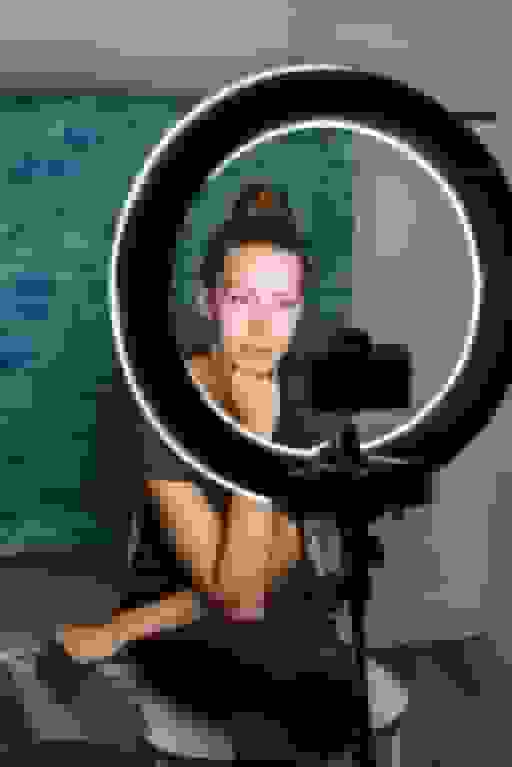
Pro tip: If you've got the budget, consider sending out a "headshot kit" to each employee. Include things like a plain backdrop, a ring light, and maybe even a shirt in your company colors. It'll help keep things looking uniform and professional.
Now, here's where things get really interesting. AI-generated headshots are becoming a thing, and let me tell you, they're pretty darn impressive. One company that's killing it in this space is BetterPic (www.betterpic.io).
Here's the deal: BetterPic uses AI to create consistent professional-looking headshots across your entire team. And the best part? Your employees don't even need to leave their homes or worry about bad hair days.
FYI, BetterPic has a specific page for company headshots (teams.betterpic.io/) where they break down all the cool features:
- Dashboard: They've got this slick dashboard where you can manage all your team's headshots in one place. It's like mission control for your company's visual identity.
- Consistency: No more worrying about different lighting or backgrounds. Every headshot will look like it was taken in the same pro studio.
- Customization: Want your team in business casual against a cityscape? Or maybe formal wear with a nature background? You've got options, my friend.
- Quick turnaround: We're talking days, not weeks. Perfect for when you need those headshots yesterday.
- Cost-effective: Compared to hiring individual photographers for each team member, this can be a real money-saver.
Now, I know what you're thinking. "AI-generated pics? Won't they look fake?" But seriously, the tech has come a long way. These aren't your grandma's clip art headshots. We're talking photorealistic images that'll have people doing a double-take.
If you want that personal touch but can't swing in-person shoots, virtual sessions are your new best friend. Here's how to make them work:
- Hire a pro: Find a photographer who's comfortable directing people over video calls. Trust me, it's a skill.
- Tech check: Make sure everyone's got decent webcams and internet connections. Nothing kills a photoshoot like laggy video.
- Lighting is key: Have your photographer give a quick tutorial on setting up good lighting with whatever your team has on hand. You'd be surprised what you can do with a well-placed desk lamp.
- Direction is everything: A good photographer can work wonders, even through a screen. They'll help with poses, expressions, and all those little details that make a headshot pop.
- Mobile Apps for Pro-Looking Selfies
Let's be real - sometimes you've got to work with what you've got. And what most people have these days is a smartphone with a pretty decent camera. Here's how to make the most of it:
- Pick the right app: There are tons of apps out there designed to help you take killer selfies. Some favorites include LinkedIn's own photo filter (yep, it exists!), Facetune (go easy on the editing, though), or VSCO for more natural-looking touch-ups.
- Lighting 101: Natural light is your BFF. Have your team take their pics near a window, but not in direct sunlight. Nobody wants to be squinting in their headshot.
- Background check: Keep it simple and clean. A plain wall works wonders. Just make sure there's no laundry or clutter visible in the background (been there, done that, learned the hard way).
- Angle is everything: Straight-on or slightly above eye level usually works best. And for the love of all that is holy, no extreme up-the-nose angles!
If your team is feeling a bit more adventurous (or you've got some closet photographers on staff), you might want to go the DIY route. But don't just let them loose - give them some guidance:
- Create a detailed guide: We're talking step-by-step instructions here. Cover everything from camera settings (if they're using a "real" camera) to posing tips.
- Lighting tutorial: Teach them about the magic of natural light, or how to set up a basic three-point lighting system with lamps they probably already have.
- Background basics: Suggest simple, clean backgrounds. A plain wall, a bookshelf (if it's not too cluttered), or even a well-ironed sheet can work wonders.
- Wardrobe wisdom: Give clear instructions on what to wear. Solid colors usually work best, and it's probably best to steer clear of anything too trendy that might look dated quickly.
- Practice makes perfect: Encourage them to take multiple shots and choose the best one. Digital photos are free, after all!
- Hybrid Approach
Sometimes, one size doesn't fit all. A hybrid approach might be your ticket to headshot harmony:
- Offer options: Let your team choose between professional sessions, AI-generated headshots, or guided DIY shoots.
- Set a standard: While the method might vary, make sure there's a consistent thread running through all the photos. Maybe it's a similar background color or a specific dress code.
- Quality control: Have someone (maybe your marketing team?) review all the headshots to ensure they meet your standards and create a cohesive look.
- Keep It Fresh: Periodic Updates
Your headshots aren't a "set it and forget it" kind of deal. Here's why you should keep them updated:
- Stay current: People change, haircuts change, fashion changes. Make sure your headshots reflect the current version of your team.
- Seasonal variations: If you're feeling fancy, consider updating headshots seasonally. Summer shots with bright, airy backgrounds, cozy autumn vibes - you get the idea.
- Special editions: Celebrating a company milestone? Why not commemorate it with a special set of headshots? It could be as simple as everyone wearing a company t-shirt or as elaborate as themed costumes (if that's your jam).
Last but definitely not least, let's talk about the not-so-fun but super important stuff:
- Get it in writing: Make sure you have clear, written consent from each employee for how their headshot will be used. This is especially important if you're planning to use them on your website or in marketing materials.
- Privacy matters: Some of your remote employees might have concerns about their images being out there. Be open to discussions and find solutions that work for everyone.
- Usage rights: If you're working with professional photographers, make sure you understand the usage rights for the photos. You don't want to get hit with unexpected fees down the line.
- AI considerations: If you're going the AI route, make sure you understand and communicate how the technology works. Some people might have concerns about AI-generated images of themselves.
What Teams Are Actually Seeing With AI Headshots
Real results from remote teams using BetterPic:
WYN Solutions — CEO Nick Cybela onboarded 100+ remote creatives and marketers across Colombia, replacing casual photos and placeholder icons with consistent professional headshots. Team members voluntarily shared their new photos, boosting engagement. "BetterPic changed that instantly. The branding is consistent and the results speak for themselves." — Nick Cybela, CEO (Read the case study)
Elucient — A consulting firm with a fully remote team working with C-suite executives. A traditional studio photographer quoted them 10x the cost of BetterPic. "Other AI tools just weren't good enough. BetterPic was the only one that delivered studio-quality images that felt real." — John Marcinuk, CEO (Read the case study)
By the numbers: 32M+ headshots delivered · 1,000+ companies · 2-hour average turnaround · 99% satisfaction rate
Wrapping It Up
Getting great headshots for your remote team doesn't have to be a headache. Whether you go pro, embrace AI, or empower your team to channel their inner photographer, the key is consistency and clear communication.
Remember, these headshots are often the first impression people will have of your team. They're a chance to showcase your company culture and the awesome individuals who make up your organization. So have fun with it!
And hey, if all else fails, there's always the option of illustrated avatars. Who doesn't love a good cartoon version of themselves? 😉
TL;DR: There are tons of ways to get great headshots for your remote team. From pro photoshoots to AI-generated images to DIY sessions, pick the method that works best for your team and company vibe. Just make sure to keep things consistent, update regularly, and always get proper consent. Now go forth and capture those gorgeous mugs!
Sources & References
- LinkedIn Profile Photo Tips — LinkedIn
- How Your Profile Photo Impacts Your LinkedIn Presence — LinkedIn Official Blog
- AI Image Generation Market Report — Grand View Research
- How AI Is Changing Photography — Forbes
- Professional Headshot Photography Pricing — Thumbtack

Written by
Apoorv SharmaHead of Performance
Apoorv leads performance and growth at BetterPic with 9+ years of experience across SEO, SEM, and growth marketing. He oversees content strategy, data-driven marketing, and hands-on testing of AI headshot platforms. Previously held senior performance marketing roles across the US, Belgium, and India.
- Google Analytics & Google Ads certified
- HubSpot Inbound & Content Marketing certified
- 9+ years in SaaS growth and performance marketing
Related team and company headshots resources
Keep exploring this topic with focused resources from the B2B journey.
Primary destination:BetterPic Teams for company and employee headshots
Frequently Asked Questions
How do you get consistent headshots for a remote team?
- Use an AI headshot generator like BetterPic where each team member uploads selfies from home and receives matching professional headshots with consistent backgrounds and lighting. One admin controls the style settings to ensure brand consistency regardless of employee location.
How much do remote team headshots cost?
- AI-generated headshots for remote teams cost approximately $30-49 per person with consistent professional quality. Traditional options requiring local photographers in different locations or flying employees to one location can cost $250+ per person plus travel expenses.
What are the benefits of AI headshots for remote teams?
- AI headshots offer cost-effectiveness, convenience from any location, scalability for growing teams, time efficiency without complex scheduling, privacy since employees control their environment, and consistency across all locations for a unified brand identity.
What if remote employees do not have good source photos?
- Send a simple guide: face a window for good lighting, take a few selfies from different angles, wear what you would wear to a video call. Most people produce usable photos in 5 minutes with their phone. Upload assistants catch bad photos before processing.
Can AI headshots maintain brand consistency across different countries?
- Yes. AI headshots ensure uniformity regardless of geographical location. Every team member gets the same background, lighting, and quality. BetterPic has delivered 32M+ headshots for 1,000+ companies with consistent results across global remote teams.
Save 87%on average on your professional photos.
Whenever, wherever you are.
Get studio-quality, 4K images in a variety of outfits & settings in less than an hour.
Get your headshots nowStart now
