
Top AI Business Photo Generator: Create Professional Headshots Easily
This article is part of our AI Headshot Tools collection.
What if you could get a polished, studio-quality professional headshot without booking a photographer, renting a studio, or spending half your Saturday in front of a camera? That is exactly what an AI business photo generator does. You upload a few selfies, and minutes later you have a set of sharp, professional photos ready for LinkedIn, your company website, or a job application.
This guide breaks down how these tools actually work, what separates the good ones from the bad, and which platforms are worth your time and money in 2025.
What Is an AI Business Photo Generator and How Does It Work?
An AI business photo generator uses machine learning to turn your everyday photos into professional-looking headshots, no studio visit required.
At a high level, these tools work in three steps. First, you upload a handful of photos of yourself, typically casual selfies taken with your phone. The AI studies your facial features, skin tone, hair, and general proportions. Then it builds a model of what you look like and generates brand-new images of you in professional settings, with proper lighting, clean backgrounds, and business attire.
The output looks like something you would get from a professional photography session, but it is generated entirely by software. Most platforms deliver results in under an hour. Some, like BetterPic, can get you finished headshots in as little as 30 minutes.
The technology behind this is not magic. It is trained on millions of professional photographs, so it understands what good lighting, flattering angles, and appropriate business attire look like. It applies that knowledge to your specific face and features.
How Is This Different from a Simple Photo Filter?
Filters adjust brightness, contrast, or color on your existing photo. An AI headshot generator creates an entirely new image. Your face stays accurate, but everything else, the background, the clothing, the lighting setup, is generated from scratch. That is why the results look like they came from a studio rather than a phone camera with a filter slapped on.
What Should You Look for in an AI Headshot Generator?
Not all AI headshot tools are built the same. Before you hand over your photos and your money, here is what matters most.
The best tools combine speed, realistic output, style variety, and strong privacy practices.
Does It Actually Look Realistic?
This is the most important question. A headshot that looks obviously AI-generated defeats the purpose. Look for platforms that produce images where the skin texture, eye detail, and hair look natural. BetterPic consistently ranks high here because it was built specifically for professional headshots rather than general AI art.
How Many Styles and Outfits Can You Choose?
Good platforms offer a range of looks. You might need a formal corporate headshot for your law firm bio and a more relaxed shot for a startup team page. BetterPic's AI headshot tool offers over 20 outfit and style options covering everything from executive to creative to industry-specific looks.
How Fast Are the Results?
Some platforms take days. Others finish in minutes. If you need a headshot for a job application due tomorrow morning, turnaround time matters a lot. BetterPic typically delivers within 30 to 60 minutes.
What About Privacy and Data Handling?
You are uploading photos of your face. That is sensitive data. Check whether the platform deletes your photos after processing and whether it complies with privacy regulations like GDPR. More on this below.
Which AI Business Photo Generators Are Worth Using in 2026?
BetterPic is the strongest all-around option for professional headshots, but a few other tools are worth knowing about depending on your needs.
Here is how the top platforms compare:
BetterPic (Best Overall)
BetterPic was designed from the ground up for professional and business headshots. It is not a general-purpose AI art tool that happens to do faces. That focus shows in the output quality.
- Turnaround: 30 to 60 minutes
- Output: Up to 100 headshot variations per session
- Styles: 20+ outfit and background options for different industries
- Pricing: Starts around $25 for a basic package, which is a fraction of what a professional photographer charges
- Extras: Free AI headshot generator to try before you buy, LinkedIn photo analyzer, and an API for businesses that need headshots at scale
What sets BetterPic apart is consistency. The headshots look reliably professional across different face shapes, skin tones, and styles. Many competitors struggle with edge cases, producing results that look slightly off or cartoonish.
Aragon AI
Aragon is a solid runner-up. It produces good quality headshots and has a clean interface. It tends to be a bit pricier than BetterPic and offers fewer style options, but the output quality is generally reliable. A good backup option if you want to compare results.
Headshot Pro
Headshot Pro targets the corporate market specifically. It works well for team pages where you need everyone to have a matching style. Processing times are longer than BetterPic, often taking a few hours rather than under one.
Try Before You Commit
Most of these platforms let you see sample outputs or offer a free tier. BetterPic's free headshot tool is a good starting point if you want to test the technology without spending anything.
Is an AI Headshot Really as Good as a Professional Photographer?
For most professional purposes, yes. AI headshots now match or beat what you would get from an average studio session, at a fraction of the cost and time.
That might sound like a bold claim, but consider what most people actually need. They need a clean, well-lit photo that looks professional on LinkedIn, a company website, or a resume. They do not need a $500 creative portrait with custom lighting rigs.
For that specific use case, AI headshot generators hit the mark. The lighting looks natural. The backgrounds are clean. The attire is appropriate. And because the AI generates multiple options, you get more choices than a typical 30-minute studio session would produce.
Where professional photographers still have an edge is in highly custom creative work, editorial shoots, or situations where you need very specific staging. For standard business headshots, AI is now the smarter choice for most people.
How Much Do AI Headshots Actually Cost?
Most AI headshot generators cost between $15 and $50 per session, compared to $150 to $500 or more for a traditional photographer.
Here is a rough breakdown:
| Option | Typical Cost | Turnaround | Number of Photos |
|---|---|---|---|
| Professional photographer | $150 - $500+ | 1 - 2 weeks | 5 - 15 edited photos |
| BetterPic | $25 - $50 | 30 - 60 minutes | Up to 100 variations |
| Other AI tools | $15 - $75 | 1 hour - 3 days | 10 - 50 photos |
The cost difference is significant, especially if you are a freelancer, job seeker, or small business that needs headshots for multiple team members. With BetterPic, you can outfit an entire team with professional headshots for less than what one person would pay at a photography studio.
There are no hidden costs either. No studio rental, no retouching fees, no wardrobe expenses. You upload your photos, pick your styles, and download the finished results.
How Do These Tools Protect Your Privacy?

Reputable AI headshot platforms delete your photos after processing and follow strict data protection standards.
This is a fair concern. You are uploading photos of your face to a third-party server. Here is what to look for and what the better platforms do:
What Data Protection Standards Should You Expect?
The top platforms comply with GDPR and use encryption (AES-256 is the industry standard) to protect your data in transit and at rest. BetterPic, for example, follows SOC 2 Type II standards, which is the same level of security you would expect from a financial services company.
What Happens to Your Photos After Processing?
Good platforms delete your uploaded photos within a set time frame after your headshots are generated. Read the terms of service to confirm this. If a platform does not clearly state its deletion policy, that is a red flag.
Do You Own the Photos the AI Creates?
Yes, on most platforms you own the generated images and can use them however you want, on LinkedIn, your website, printed materials, anything. BetterPic gives you full rights to your generated headshots with no restrictions on commercial use.
Can You Delete Your Data?
You should be able to access, correct, or delete your personal data at any time. This is a legal requirement under GDPR and a basic expectation from any platform handling biometric-adjacent data like face photos.
How Do You Get the Best Results from an AI Headshot Generator?
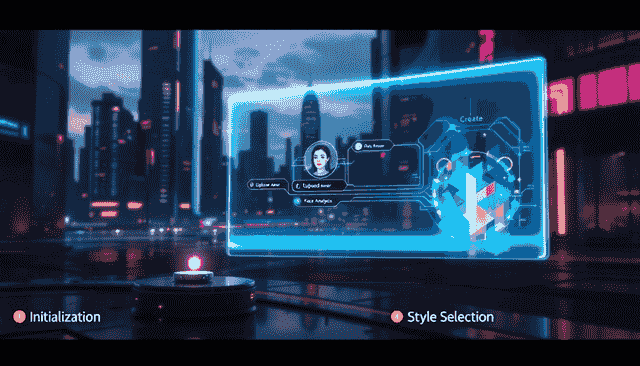
The quality of your output depends heavily on the quality of your input photos.
Getting good AI headshots is not just about picking the right platform. The photos you upload make a big difference. Here are the basics:
What Kind of Photos Should You Upload?
- Use well-lit photos where your face is clearly visible
- Avoid sunglasses, hats, or anything that blocks your face
- Include a mix of angles, straight on, slightly left, slightly right
- Use recent photos that look like your current appearance
- Upload at least 6 photos for the best results (more gives the AI more data to work with)
How Do You Pick the Right Style?
Think about where the headshot will be used. A corporate headshot for a law firm needs a different feel than a creative headshot for a design agency. Most platforms, including BetterPic, let you preview styles before generating, so browse the options and pick what fits your industry.
What If You Do Not Like the Results?
Most platforms generate multiple options, sometimes dozens. If none of them work, the issue is usually with the input photos. Try uploading different or better-lit photos and run the generation again. BetterPic's large output set (up to 100 variations) means you are very likely to find several shots you are happy with.
Where Should You Use Your AI-Generated Headshots?
A single set of professional headshots can work across every platform where people see your face.
Once you have your headshots, put them to work:
- LinkedIn: This is the most common use case. A strong headshot on LinkedIn makes your profile significantly more likely to get views from recruiters and potential clients.
- Company website and team pages: Matching headshot styles across a team page looks polished and professional.
- Resume and portfolio: A professional photo on your resume makes it more memorable, especially in industries and regions where headshots on resumes are standard.
- Social media: Using the same professional photo across platforms builds recognition and a consistent personal brand.
- Email signatures: A small headshot in your email signature adds a personal touch to business communication.
Frequently Asked Questions
How long does it take to get AI-generated headshots?
It depends on the platform. BetterPic delivers results in 30 to 60 minutes. Some other tools take a few hours, and a few budget options can take up to 2 to 3 days. If speed matters to you, check the platform's stated turnaround before uploading.
Can people tell the difference between AI headshots and real photographer photos?
With the better tools like BetterPic, no. The output quality has reached a point where AI-generated headshots are practically indistinguishable from studio photos for standard professional use. Lower-quality tools can still produce images that look slightly artificial, which is why platform choice matters.
How many photos do I need to upload?
Most platforms ask for 6 to 12 photos of yourself. Six is usually the minimum for good results. The more variety you provide in terms of angles and lighting, the better the AI can model your features.
Are AI headshots appropriate for formal corporate use?
Absolutely. AI-generated headshots are now used by professionals at major companies, law firms, financial institutions, and consulting firms. The output from top-tier platforms meets the same quality bar as traditional photography.
What if I need headshots for my whole team?
BetterPic offers an API for businesses that need to generate headshots at scale. This is a popular option for companies onboarding new employees or refreshing their team page. It is faster and far cheaper than coordinating a group photoshoot.
Is my data safe when I upload photos?
On reputable platforms, yes. Look for SOC 2 compliance, GDPR compliance, and a clear data deletion policy. BetterPic meets all three criteria. Avoid platforms that do not clearly explain what happens to your photos after processing.
The Bottom Line
AI business photo generators have made professional headshots fast, affordable, and accessible. You do not need to hire a photographer, block out half a day, or spend hundreds of dollars to get a polished professional image.
BetterPic stands out as the top choice for most people because it combines fast turnaround, realistic output, strong privacy practices, and a wide range of professional styles, all at a price that makes sense whether you are one person updating your LinkedIn or a company outfitting an entire team.
Upload a few selfies, pick your style, and have your new headshots ready before lunch. It really is that simple.
Sources & References
- LinkedIn Profile Photo Tips — LinkedIn
- How Your Profile Photo Impacts Your LinkedIn Presence — LinkedIn Official Blog
- AI Image Generation Market Report — Grand View Research
- How AI Is Changing Photography — Forbes
- Professional Headshot Photography Pricing — Thumbtack

Written by
Apoorv SharmaHead of Performance
Apoorv leads performance and growth at BetterPic with 9+ years of experience across SEO, SEM, and growth marketing. He oversees content strategy, data-driven marketing, and hands-on testing of AI headshot platforms. Previously held senior performance marketing roles across the US, Belgium, and India.
- Google Analytics & Google Ads certified
- HubSpot Inbound & Content Marketing certified
- 9+ years in SaaS growth and performance marketing

Reviewed by
Related professional headshots for individuals resources
Keep exploring this topic with focused resources from the B2C journey.
Primary destination:BetterPic homepage
Frequently Asked Questions
Can I use AI-generated images for my business?
- You can use AI-generated images for your business, but be sure to check the licensing terms of the specific AI tool you’re using, as they vary. Prioritize tools that allow commercial use to enhance your creative projects confidently!
What is the best free AI business photo generator?
- Supawork AI is the best free AI business photo generator, offering you professional headshots without the need for a photoshoot. It's time to elevate your image effortlessly!
How do AI headshot generators work?
- AI headshot generators empower you to create stunning, professional-quality images effortlessly by leveraging advanced algorithms that analyze your photos and offer diverse styles and customization options. Dive in and transform your profile today!
How long does it take to generate a headshot using AI?
- You can expect to receive your AI-generated headshot within minutes to a maximum of 2-3 days, so get ready to shine!
Are AI-generated headshots expensive?
- AI-generated headshots are quite affordable, making professional imagery accessible without breaking the bank. Embrace this cost-effective alternative and elevate your professional presence!
Save 87%on average on your professional photos.
Whenever, wherever you are.
Get studio-quality, 4K images in a variety of outfits & settings in less than an hour.
Get your headshots nowStart now
