
How to Get a Perfect LinkedIn Photo with AI (Without Overthinking It)
This article is part of our LinkedIn Headshots collection.
You're scrolling through LinkedIn and a profile stops you mid-scroll. What caught your eye? Nine times out of ten, it was the photo. Not because it was flashy — because it looked sharp, professional, and like someone who has their act together.
Your LinkedIn photo works harder than you think. It shows up in search results, connection requests, comments, messages, and every post you make. It's the thing people form a first impression from before they read a single word of your profile.
The good news: you don't need a photographer, a studio, or a new wardrobe to get one that works. AI headshot tools can turn your phone selfies into studio-quality headshots in under an hour, for the price of a decent lunch.
Here's how to do it right.
Why does your LinkedIn photo matter so much?
Ever wondered why certain LinkedIn profiles get way more traffic than others? It's not always because they have better experience or a catchier headline.
Here's the data: profiles with professional photos get up to 21x more views and 36x more messages. That's not a marginal improvement — that's the difference between being invisible and being discoverable.
And it makes sense. When a recruiter is scanning through 200 profiles, or when a potential client is checking you out before a call, your photo is the quickest signal they have for "this person is serious about their career." A blurry selfie or a cropped group photo sends the opposite message.
The best part? You don't need to leave your house or spend a fortune to fix this.
What actually makes a good LinkedIn headshot?

This is where people either overthink it or don't think about it at all. There's a middle ground, and it's simpler than you'd expect.
Lighting (the #1 thing people mess up)
Good lighting is literally the difference between "polished professional" and "witness protection photo." And it's the easiest thing to fix.
The golden rule: Face a window. That's it. Natural light coming from in front of you creates even, flattering illumination without harsh shadows. Overcast days are actually ideal — the clouds act as a giant softbox.
What to avoid: Overhead fluorescents (they create shadows under your eyes and make you look exhausted), backlighting (you become a silhouette), and mixed lighting sources (one side of your face looks orange, the other looks blue).
If you don't have good window light, a simple ring light or desk lamp positioned in front of you at face level works great too.
Clothing (keep it stupid simple)
Your clothes should match the professional norms of your industry. That's the whole rule.
- Finance, law, consulting: Blazer or suit jacket. Solid colors. Keep it crisp.
- Tech, startups: Clean button-down, crew neck, or polo. No need for a tie.
- Creative fields: More flexibility, but still put-together. A nice sweater, a leather jacket — whatever fits your vibe.
Universal rule: Stick to solid colors. Busy patterns, stripes, and plaids create visual noise in photos — especially with AI generation, where detailed patterns can sometimes cause weird artifacts (it's called moiré, and it's distracting).
And here's the thing people forget: with AI headshots, the tool generates the outfit. You don't actually need to own a blazer. You just need to pick the right style setting. But your source photos should still show you in reasonable clothing so the AI has a realistic starting point.
Background (less is more)
A clean, uncluttered background keeps the focus on your face. A plain wall, a simple room, or an outdoor spot with soft-focus greenery — all work fine. The AI will replace the background anyway, but starting with something simple gives it less to work around.
What kills a good headshot: The Zoom background of your actual messy office. A bathroom mirror selfie. A cropped photo from a club. (Yes, I've seen all of these on LinkedIn.)
Pose and expression (this is the one everyone gets wrong)
Here's my advice: aim for the expression you'd have when someone you like walks toward you. Not a stiff smile. Not a serious stare. Just... warm, natural, approachable.
The mirror trick: Practice in front of a mirror. Find the angle that feels natural. Most people look best with a very slight turn (like 15 degrees) rather than dead-straight into the camera.
Eye contact matters. Look directly at the camera lens. This creates a connection with the viewer. Looking off to the side makes you seem distracted or uninterested.
Don't overthink it. A genuine half-smile beats a forced grin every single time.
Technical details (the obvious stuff people still get wrong)
Make sure your photo is high-resolution. I know this sounds like a "no kidding" moment, but you'd be amazed how many LinkedIn profiles have photos that are clearly screenshots of screenshots of a photo from 2018. The ideal minimum is 400x400 pixels. AI tools output 4K, so this won't be an issue if you use one.
Clean your phone camera lens. Takes 2 seconds. Makes a surprising difference. Fingerprints and smudges create a haze that degrades everything.
Use your phone's rear camera — it's significantly better quality than the front camera. Prop your phone up or have someone hold it.
How does AI turn selfies into professional headshots?
AI headshot tools have gotten genuinely good. Not "good for AI" good — good enough that most people can't tell the difference between AI and traditional photography.
Here's what the technology actually does:
- It studies your face. You upload 8-15 photos. The AI maps your facial structure, skin tone, hair, proportions — everything that makes you look like you.
- It learns what professional headshots look like. The AI has been trained on millions of professional portraits. It understands studio lighting, business-appropriate backgrounds, how clothing should fit and fall, how to frame a face.
- It combines the two. It creates new images that look like you stepped into a professional studio — proper lighting, clean background, professional attire — while maintaining your actual facial features.
The result is a headshot that looks like it was taken by a skilled photographer. Not because the AI is "making you look better" — but because it's applying professional photography knowledge to your existing features.
Tools like BetterPic specialize in this for professional headshots. Upload your photos, pick from 150+ styles (corporate, tech, creative, casual professional), and get your results in about an hour. Every photo is 4K resolution and includes a commercial license.
What's the step-by-step process?
Here's the whole thing, start to finish:
1. Collect your source photos. Grab 10+ selfies or casual shots where your face is clear, well-lit, and unobstructed. Different angles and expressions help the AI produce more natural results. Don't have enough? Take a few quick snaps right now — just face a window and snap away.
2. Upload to BetterPic. The platform has an AI upload helper that checks your photos before processing. It'll flag anything too dark, too blurry, or otherwise likely to produce bad results. This saves you from wasting a generation on poor inputs.
3. Pick your styles. Choose the background, clothing vibe, and overall mood that fits your industry and personal brand. You can select multiple styles in one session.
4. Let the AI work. It analyzes your photos, generates your headshots, and delivers them. This takes about 30-60 minutes.
5. Download your headshots. You get a portfolio of professional photos in 4K. Pick your favorites, upload to LinkedIn, and you're done.
Total hands-on time: about 15-20 minutes. The rest is waiting. You can do the whole thing during a lunch break.
How do you take great source photos with just your phone?
Your phone is all you need. Here's how to maximize what it gives you:
Lighting setup (budget: $0): Sit facing a window during daylight. Boom — professional-quality natural light. If it's a bright sunny day, pull a sheer curtain for softer light. If you're shooting at night, a ring light or a desk lamp pointed at your face (not from above) works.
Camera tips:
- Use the rear camera, not the selfie camera — much better quality
- Clean the lens (seriously, just wipe it on your shirt)
- Use portrait mode if your phone has it — it creates that nice background blur
- Set a timer so you're not reaching for the phone mid-shot
- Prop the phone at eye level — shooting from below gives you a double chin, shooting from above makes your forehead look massive
What to shoot:
- 3-4 photos looking straight at the camera
- 3-4 at slight angles (left and right)
- A mix of smiling and neutral expressions
- Different outfits if possible (gives the AI more to work with)
What to avoid:
- Sunglasses and hats (the AI needs to see your face)
- Heavy filters or beauty mode (these distort your features and confuse the AI)
- Group photos (even if you crop yourself out, the quality usually degrades)
- Photos more than 12 months old (your headshot should look like you look today)
What are the biggest LinkedIn photo mistakes to avoid?
Mistakes people make with their actual photo
- Using a photo from 5+ years ago. You might look great in it, but when people meet you and you look different, trust takes a hit.
- Cropping yourself out of a group shot. Resolution drops, someone's arm is still on your shoulder, and the lighting is whatever the restaurant had going on that night.
- Casual vacation photos. Sunglasses on your head, drink in hand, beach in the background. Save it for Instagram.
- No photo at all. This is actually worse than a mediocre photo. Profiles without photos get dramatically fewer views and messages.
Mistakes people make with AI headshots specifically
- Choosing a style that doesn't match your industry. A fantasy art background doesn't belong on a financial advisor's LinkedIn.
- Over-editing until it doesn't look like you. If your AI headshot looks like your better-looking cousin, you've gone too far.
- Using a free tool with obvious artifacts. Plastic skin, weird hair edges, impossible clothing details — all scream "cheap AI" and hurt your credibility more than a decent selfie would.
The fix for all of these: use a quality tool, pick industry-appropriate styles, and prioritize looking like yourself on a good day — not like a completely different person.
Can AI handle different industries and styles?

One of the best things about AI headshot tools is the range. You're not limited to one "professional" look.
Based on your industry, AI can generate you in:
- A tailored suit for finance, law, or consulting
- A clean button-down for tech or engineering
- A polished casual look for creative or startup environments
- A white coat for healthcare (yes, really)
- A smart-casual outfit for sales, real estate, or client-facing roles
And it goes beyond clothing. The background, lighting temperature, and overall mood of the photo can be adjusted to match your professional context. A warm, approachable headshot for a therapist. A sharp, authoritative one for a corporate attorney. A modern, creative one for a design director.
This is something traditional photography can't easily match without multiple wardrobe changes and set changes in a single session. With AI, you pick the style from a menu and the tool handles everything else.
What's the future look like for AI LinkedIn photos?
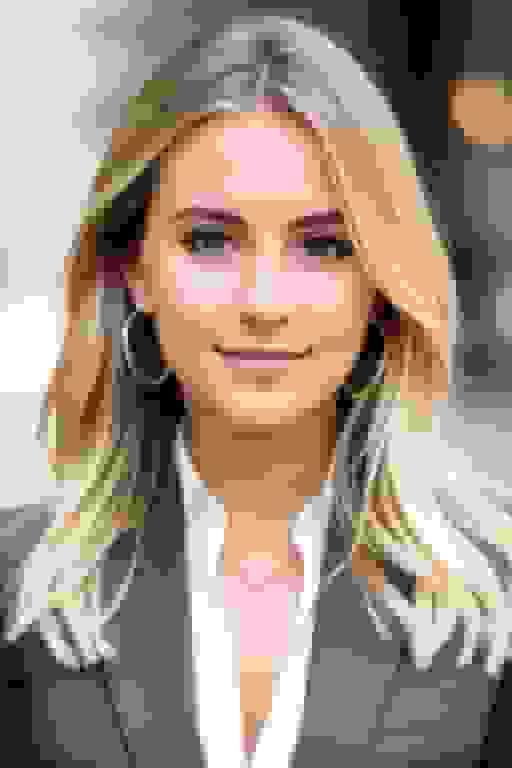
AI is already changing how people manage their professional image, and it's going to keep moving fast:
- Real-time video enhancement — AI that makes you look better on Zoom calls is coming. Better lighting, cleaner backgrounds, subtle improvements happening live.
- Auto-updating across platforms — Change your headshot once and it syncs to LinkedIn, your company website, email signature, and Slack simultaneously.
- Expression fine-tuning — Future tools will let you subtly adjust your expression after generation: "a bit more approachable" or "slightly more serious."
- Integration with HR systems — AI headshots becoming a standard onboarding step, automatically populating employee directories and profiles.
The trajectory is clear: getting a professional headshot is going to keep getting easier, faster, and cheaper. The people who get comfortable with these tools now will have a permanent advantage in how they present themselves professionally.
The bottom line
A professional headshot isn't a nice-to-have anymore. It's a basic requirement for being taken seriously on LinkedIn and across the web. With AI tools, there's no longer any excuse — cost, time, convenience, quality — for not having one.
You can get a portfolio of studio-quality headshots in under an hour. For about $35. From your couch. In your pajamas.
The quick version:
- Take 10+ clear selfies facing a window
- Upload to BetterPic
- Pick styles that match your industry
- Get your headshots in about an hour
- Update LinkedIn (and everywhere else) in one go
That's less effort than most people put into choosing what to have for dinner. And the impact on your professional visibility is massive.
Your LinkedIn photo is forming impressions right now — for every recruiter, client, and connection who visits your profile. Make sure it's an impression worth making.

Sources & References
- LinkedIn Profile Photo Tips — LinkedIn
- How Your Profile Photo Impacts Your LinkedIn Presence — LinkedIn Official Blog
- AI Image Generation Market Report — Grand View Research
- How AI Is Changing Photography — Forbes
- Professional Headshot Photography Pricing — Thumbtack

Written by
Apoorv SharmaHead of Performance
Apoorv leads performance and growth at BetterPic with 9+ years of experience across SEO, SEM, and growth marketing. He oversees content strategy, data-driven marketing, and hands-on testing of AI headshot platforms. Previously held senior performance marketing roles across the US, Belgium, and India.
- Google Analytics & Google Ads certified
- HubSpot Inbound & Content Marketing certified
- 9+ years in SaaS growth and performance marketing
Related linkedin headshots resources
Keep exploring this topic with focused resources from the B2C journey.
Primary destination:LinkedIn headshots
- 8 Ways To Enhance Your Linkedin Profile With Ai Headshots page
- AI Headshots for LinkedIn: Complete 2026 Guide to Professional Profile Photos That Get You Hired
- 6 Ways an AI LinkedIn Headshot Can Transform Your Image and Attract New Opportunities
- Decoding AI LinkedIn Photo Generators - Myth Vs Facts
- 5 best AI LinkedIn Headshot Generators HONESTLY rated
Frequently Asked Questions
How do I get a professional LinkedIn photo with AI?
- Take 10+ clear selfies facing a window for natural light, upload them to an AI headshot tool like BetterPic, pick styles matching your industry, and get professional headshots back in about an hour. Total hands-on time is about 15-20 minutes and costs $35-79.
Why does your LinkedIn photo matter so much?
- Profiles with professional photos get up to 21x more views and 36x more messages on LinkedIn. Recruiters spend only 5-7 seconds on initial profile scans, making your photo the quickest signal for whether someone engages with your profile or keeps scrolling.
What makes a good LinkedIn headshot?
- Good lighting (face a window for natural light), industry-appropriate clothing in solid colors, a clean uncluttered background, direct eye contact with the camera, and a natural warm expression. Your face should fill about 60% of the frame, and the minimum resolution should be 400x400 pixels.
What are the biggest LinkedIn photo mistakes to avoid?
- The biggest mistakes are using a photo more than 5 years old, cropping yourself from a group shot, using casual vacation photos, having no photo at all, or choosing an AI style that does not match your industry. A missing photo is actually worse than a mediocre one.
Can AI generate different headshot styles for different industries?
- Yes. AI tools can generate you in a tailored suit for finance, a clean button-down for tech, a polished casual look for creative fields, a white coat for healthcare, or smart-casual for sales. Background, lighting temperature, and mood can all be adjusted to match your professional context.
Save 87%on average on your professional photos.
Whenever, wherever you are.
Get studio-quality, 4K images in a variety of outfits & settings in less than an hour.
Get your headshots nowStart now
