
5 Best AI LinkedIn Headshot Generators — Tested and Honestly Rated (2026)
This article is part of our LinkedIn Headshots collection.
LinkedIn is not Instagram. It's not your company website. And the headshot that works perfectly on a resume or an "About Us" page can look terrible on LinkedIn.
Why? Because LinkedIn does something no other professional platform does: it crops your photo into a circle, shrinks it to a tiny thumbnail in feeds and search results, and uses it as a signal for whether people click on your profile or keep scrolling.
The numbers back this up. Profiles with a professional photo get 21x more views and 36x more messages. Recruiters are 14x more likely to view a profile that has a photo versus one that doesn't. Your headshot is doing real, measurable work on LinkedIn — probably more than your headline.
So when we tested AI headshot generators for this article, we didn't just ask "does it produce a nice photo?" We asked: does this photo actually perform on LinkedIn?
That means we looked at:
- Circular crop survival — Does the face get awkwardly clipped when LinkedIn cuts it into a circle?
- Thumbnail clarity — Can you tell who this person is at 56x56 pixels in a feed?
- Background simplicity — Does the background compete with your face, or disappear cleanly?
- Lighting and contrast — Does the headshot pop in LinkedIn's white/light gray interface?
- Professional tone — Does it look like a real business photo, or does it have that "AI art" quality?
Here's what we found after testing all five tools specifically for LinkedIn use.
How is a LinkedIn headshot different from a regular professional headshot?
A regular professional headshot just needs to look good. A LinkedIn headshot needs to work within a very specific set of constraints.
First, the circular crop. LinkedIn crops every profile photo into a circle. If the AI generator places your head too high, too low, or off-center, you lose part of your forehead, chin, or ear. Some tools are better at centering the subject than others.
Second, thumbnail size. In LinkedIn feeds, search results, and connection suggestions, your face shows up tiny — sometimes as small as 48 pixels across. A headshot that looks great at full size but has low contrast or a busy background turns into an unreadable smudge at thumbnail size.
Third, the algorithm factor. LinkedIn's algorithm favors profiles that are complete, and having a professional-looking photo is part of the "All-Star" profile status that gets you more visibility in recruiter searches and feed rankings.
Fourth, recruiter scanning behavior. Recruiters on LinkedIn typically spend 5-7 seconds on an initial profile scan. Your photo is the first thing they process, before your headline, before your title. If it looks low-quality, overly filtered, or clearly AI-generated, that's a negative first impression before they've read a word.
With all of that in mind, here's how the top AI headshot generators stack up for LinkedIn specifically.
Which AI headshot generator is best for LinkedIn overall?
BetterPic — and yes, this is our product. We're upfront about that. But we also built it specifically with LinkedIn and professional profiles in mind, so the bias comes with relevant experience.
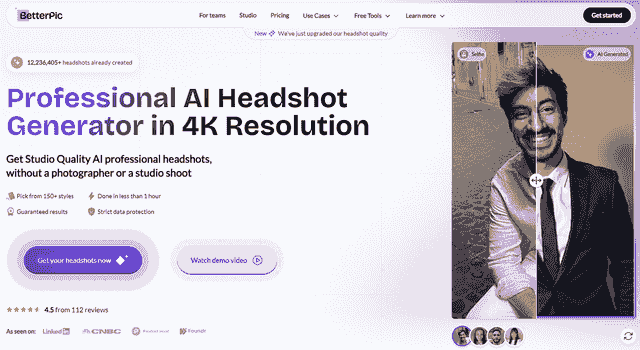
Pricing: $35 for 20 headshots, up to $79 for premium packages with more styles and images.
BetterPic gives you 150+ style options, outputs everything at 4K resolution, and — this is the part that matters for LinkedIn — every image goes through human editing after the AI generation step. That means a real person checks the framing, lighting, skin tone accuracy, and crop before you get the final result.
For LinkedIn specifically, this human review step is a big deal. It catches the exact problems that trip up other tools: off-center framing that looks fine full-size but clips badly in a circle, backgrounds that are too busy for thumbnail viewing, skin tones that look slightly off under LinkedIn's interface colors.
LinkedIn-specific strength: The human editing layer catches circular crop issues and thumbnail readability problems that pure AI tools miss. The 4K output also means your headshot stays sharp even when LinkedIn compresses it.
LinkedIn-specific weakness: It's not the cheapest option. If you just need a quick photo to fill an empty LinkedIn profile and don't care much about optimization, you might not need the premium quality.
Best LinkedIn use case: Job seekers who want their profile to stand out in recruiter searches, salespeople who rely on LinkedIn for outreach, and anyone whose LinkedIn profile is a core part of how they get business.
BetterPic is also SOC 2 and ISO 27001 certified, which matters if your employer has policies about where employee photos get processed.
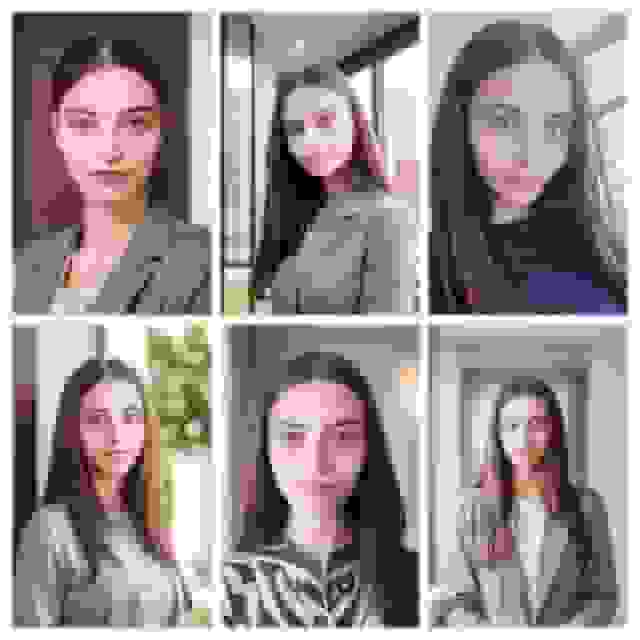
Here are some actual results from the platform:
Is Aragon AI good for LinkedIn headshots?
Yes, especially if you need your headshot fast. Aragon AI delivers results in about 15 minutes, which is the fastest turnaround of any tool on this list.

Pricing: $35 for 20 headshots, up to $75 for larger packages.
Aragon uses AES-256 encryption for data handling and holds SOC 2 certification. You upload 6 photos, and the AI generates your headshots. The output resolution is 2048x2560, which is plenty for LinkedIn.
LinkedIn-specific strength: Speed. If you have a job interview tomorrow and your LinkedIn profile has a blurry selfie from 2018, Aragon gets you a professional-looking headshot in 15 minutes. For LinkedIn's purposes, a decent headshot uploaded today beats a perfect headshot uploaded next week.
LinkedIn-specific weakness: Limited style customization. LinkedIn users in creative industries (design, marketing, media) often want headshots that show some personality while still being professional. Aragon's style options are more limited than BetterPic or Secta, so you're more likely to end up with a generic "corporate" look that doesn't differentiate you in a LinkedIn feed full of similar photos.
Best LinkedIn use case: Anyone who needs a LinkedIn headshot right now — new job, new role, profile refresh before a networking event. Also solid for people who prioritize data security and want an encrypted, certified platform.
One thing to be aware of: Aragon offers a money-back guarantee, but there are documented complaints from users who had difficulty actually getting refunds processed. Worth keeping in mind.
Does Dreamwave AI work well for LinkedIn?
Dreamwave gives you the most headshots per dollar, which makes it a solid option for LinkedIn users who want to test a lot of different looks.
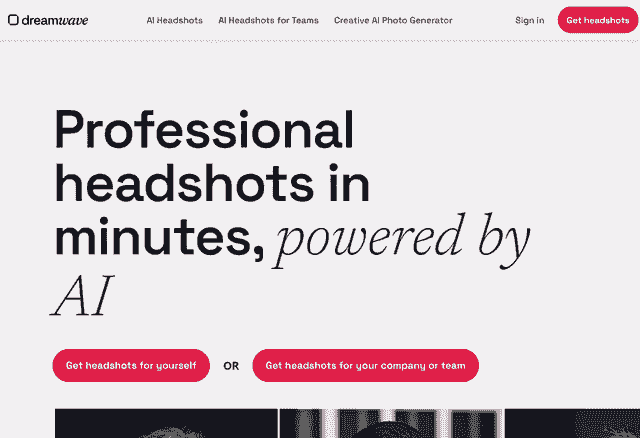
Pricing: $39 for 120 headshots. There's also a free tier with 20 headshots (longer wait time).
120 headshots for $39 is a lot. The free tier is also a real free tier — 20 actual headshots, not a "free trial" that watermarks everything. For LinkedIn, having lots of options means you can test different headshots and see which one performs better in terms of profile views and connection acceptance rates.
LinkedIn-specific strength: Volume and experimentation. LinkedIn actually lets you see how your profile is performing (profile views, search appearances). With 120 headshots, you can swap your photo every few weeks and track which style drives the most engagement. That's a data-driven approach to LinkedIn optimization that you can't really do with tools that give you 20 shots.
LinkedIn-specific weakness: Quality consistency. With 120 outputs, some will look great and some will look noticeably AI-generated. The inconsistency means you'll spend time sorting through results to find the ones that actually hold up at LinkedIn's thumbnail size and circular crop. There's no human review step, so you're doing the quality control yourself.
Best LinkedIn use case: People who like to experiment and optimize. If you're the type who A/B tests LinkedIn headlines and tracks your SSI score, Dreamwave gives you the volume to treat your headshot as another variable to optimize.
Is Secta AI worth the price for LinkedIn?
Secta AI is the most expensive tool on this list, but it also gives you the most control over the final result — which can be valuable for getting a headshot that's truly LinkedIn-optimized.
Pricing: $49 for personal use. 60+ styles available.
Secta's main differentiator is its 12+ editing tools. After the AI generates your headshots, you can adjust clothing, change expressions, swap backgrounds, tweak lighting, and fine-tune positioning. For LinkedIn, this means you can manually fix the things that other tools leave to chance.
LinkedIn-specific strength: You can manually optimize for LinkedIn's circular crop. Don't like how the framing looks in a circle? Adjust it. Background too distracting at thumbnail size? Swap it for something cleaner. Expression too stiff? Tweak it. No other tool on this list gives you this level of post-generation control.
LinkedIn-specific weakness: It's $49 for one person, and the quality of output depends heavily on your input photos. If you upload mediocre selfies, the editing tools can only do so much. You're also paying a premium for editing capabilities that many LinkedIn users won't actually use — if you just want a good headshot without fiddling with sliders, this is overkill and overpriced.
Best LinkedIn use case: People with specific brand requirements for their LinkedIn presence — consultants, coaches, personal brand builders who need their headshot to match exact brand colors, tones, or vibes. Also good for anyone who's particular about details and wants to fine-tune everything themselves.
Can HeadshotPro handle LinkedIn headshots for a whole team?
HeadshotPro is the simplest option for getting a consistent set of LinkedIn headshots across a team or company.
Pricing: $29 for 40 headshots (individual), up to $39 for team packages with a team dashboard.
HeadshotPro's team dashboard lets managers upload photos for their whole team and get matching-style headshots back. For companies that want consistent LinkedIn profiles across the org — same background, same lighting feel, same professional tone — this is the most streamlined workflow.
LinkedIn-specific strength: Consistency across a team's LinkedIn presence. When a recruiter or prospect looks at your company on LinkedIn and every employee has a matching, professional headshot, it signals that the company is organized and takes its brand seriously. HeadshotPro makes this easy with its team dashboard and consistent output style.
LinkedIn-specific weakness: It requires 20 input photos per person. That's a lot. Most other tools need 6-9. For a team rollout, asking every employee to provide 20 usable photos creates friction — some people won't have that many, and the whole process slows down. The output styles are also less varied than BetterPic or Secta, so individual team members who want a headshot with some personality won't have many options.
Best LinkedIn use case: Companies rolling out a LinkedIn branding initiative. If your marketing or HR team wants every employee's LinkedIn photo to look like it came from the same photo shoot, HeadshotPro's team workflow is the path of least resistance — as long as you can get everyone to provide 20 photos.
How do these LinkedIn headshot generators compare?
Here's a side-by-side breakdown:
| Feature | BetterPic | Aragon AI | Dreamwave | Secta AI | HeadshotPro |
|---|---|---|---|---|---|
| Price | $35-$79 | $35-$75 | $39 (120 shots) | $49 | $29-$39 |
| Photos needed | 6-9 | 6 | 6-8 | 6-10 | 20 |
| Turnaround | ~1 hour | ~15 min | ~1 hour | ~1 hour | ~2 hours |
| Output resolution | 4K | 2048x2560 | HD | HD | HD |
| Styles available | 150+ | ~40 | 50+ | 60+ | ~30 |
| Human editing | Yes | No | No | Manual (self) | No |
| Security certs | SOC 2 + ISO 27001 | AES-256, SOC 2 | Standard | Standard | Standard |
| Team features | Yes | No | No | No | Yes (dashboard) |
| Free tier | No | No | Yes (20 shots) | No | No |
| Circular crop optimization | Yes (human-reviewed) | Automatic | Automatic | Manual control | Automatic |
Which LinkedIn headshot generator should you actually pick?
Here's the honest recommendation based on your situation:
Pick BetterPic if your LinkedIn profile matters for your career or business. The human editing, 4K output, and LinkedIn-specific optimization justify the price if your profile is a real business tool. Job seekers, salespeople, consultants, founders — this is the one.
Pick Aragon AI if you need a headshot today. Fifteen minutes is hard to beat. The quality is good enough for LinkedIn, and the security certifications make it a safe choice for enterprise environments. Just go in with realistic expectations about the refund process if you're not happy.
Pick Dreamwave if you want to experiment. The free tier lets you try it risk-free, and 120 headshots for $39 gives you enough options to A/B test your LinkedIn photo over time. Be prepared to sort through some inconsistent results to find the winners.
Pick Secta AI if you're particular about your image and want full control. The editing tools let you tweak everything, which is perfect for personal brand builders and anyone who wants their LinkedIn headshot to match a specific aesthetic. Just know you're paying a premium for that control.
Pick HeadshotPro if you're getting headshots for a team. The team dashboard and consistent output style make it the easiest way to get matching LinkedIn photos across an organization. The 20-photo requirement is a pain, but the workflow is worth it for team rollouts.
For most individual LinkedIn users who want the best result without hassle, BetterPic is what we'd recommend. For teams, it depends on whether you value quality (BetterPic) or workflow simplicity (HeadshotPro).
Your LinkedIn headshot is one of the few things on the platform that's entirely within your control and has a measurable impact on your results. It's worth getting right.
Sources & References
- LinkedIn Profile Photo Tips — LinkedIn
- How Your Profile Photo Impacts Your LinkedIn Presence — LinkedIn Official Blog
- AI Image Generation Market Report — Grand View Research
- How AI Is Changing Photography — Forbes
- Professional Headshot Photography Pricing — Thumbtack

Written by
Apoorv SharmaHead of Performance
Apoorv leads performance and growth at BetterPic with 9+ years of experience across SEO, SEM, and growth marketing. He oversees content strategy, data-driven marketing, and hands-on testing of AI headshot platforms. Previously held senior performance marketing roles across the US, Belgium, and India.
- Google Analytics & Google Ads certified
- HubSpot Inbound & Content Marketing certified
- 9+ years in SaaS growth and performance marketing

Reviewed by
Related linkedin headshots resources
Keep exploring this topic with focused resources from the B2C journey.
Primary destination:LinkedIn headshots
- Decoding AI LinkedIn Photo Generators - Myth Vs Facts
- Introduction to our Free AI Linkedin Photo Generator
- 8 Ways To Enhance Your Linkedin Profile With Ai Headshots page
- AI Headshots for LinkedIn: Complete 2026 Guide to Professional Profile Photos That Get You Hired
- 6 Ways an AI LinkedIn Headshot Can Transform Your Image and Attract New Opportunities
Frequently Asked Questions
What is the best AI headshot generator specifically for LinkedIn?
- BetterPic is the best for LinkedIn because it includes human editing that catches circular crop and thumbnail readability issues, delivers 4K output that stays sharp after LinkedIn compression, and offers 150+ LinkedIn-optimized styles. Aragon AI is the fastest alternative at about 15 minutes turnaround.
Why is a LinkedIn headshot different from a regular headshot?
- LinkedIn crops photos into a circle, shrinks them to tiny thumbnails in feeds (as small as 48 pixels), and uses them as algorithm signals. A LinkedIn headshot needs proper centering to survive circular cropping, high contrast for thumbnail clarity, simple backgrounds, and professional tone that pops against LinkedIn's white interface.
How many more views does a professional LinkedIn photo get?
- Profiles with professional photos get 21x more views, 36x more messages, and recruiters are 14x more likely to view a profile with a photo. LinkedIn's algorithm also favors complete profiles with professional photos as part of achieving All-Star status for better search visibility.
How much do AI LinkedIn headshot generators cost?
- Prices range from $29-79. HeadshotPro starts at $29 for 40 headshots, BetterPic and Aragon AI at $35, Dreamwave at $39 for 120 shots, and Secta AI at $49. Dreamwave also offers a free tier with 20 headshots for testing. All produce LinkedIn-ready results.
Can AI headshots help a whole team look consistent on LinkedIn?
- Yes. HeadshotPro and BetterPic both offer team dashboards where managers can set consistent backgrounds and styles. When every employee has matching professional headshots on LinkedIn, it signals the company is organized and takes its brand seriously, strengthening employer branding.
Save 87%on average on your professional photos.
Whenever, wherever you are.
Get studio-quality, 4K images in a variety of outfits & settings in less than an hour.
Get your headshots nowStart now
